
Meeting Summaries
Find any past call, read its summary and transcript, work the action items, and switch between sales and chronological views.
Every call you record lands in one place, so you never have to dig through notes to remember what was said or what you promised. Open Summaries to read the recap, scrub the recording, and check off follow-ups.
Reach Summaries from the sidebar
Click Summaries in the left sidebar of the web app at app.tenali.ai. You land in your meeting library, where your calls are listed and grouped into tabs.
The meeting library tabs
The library is organized into tabs so you can find the right call fast:
- All Meetings — every call you recorded, newest first.
- Shared with Me — meetings teammates shared with you.
- Imported Meetings — calls brought in from a connected source (for example, Fireflies or Gong).
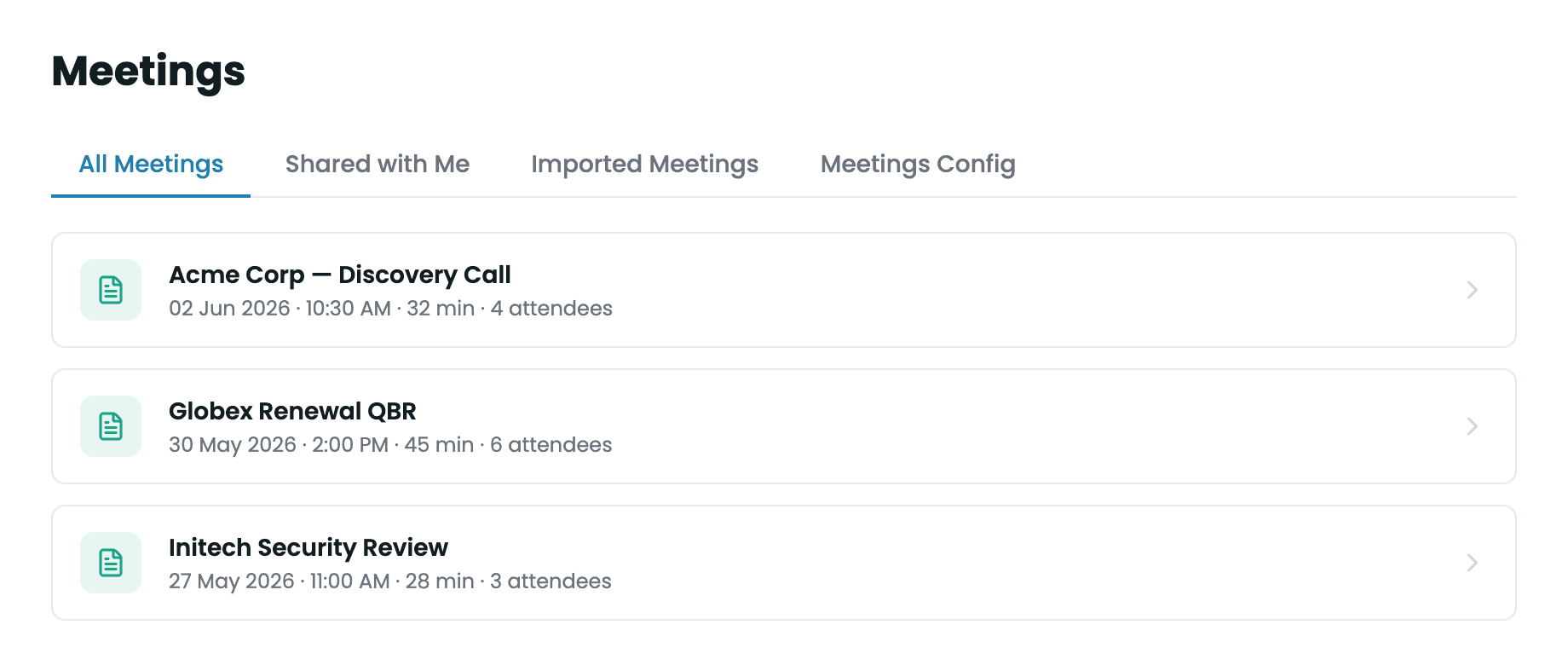
Meeting library
Summaries view with the All Meetings / Shared with Me / Imported Meetings tabs
Open a meeting
Click any meeting in the list to open its detail view. The screen splits into two halves: meeting facts and the recording on the left, and the written summary on the right.
Left panel: the facts and the recording
- Agenda, Date, and Time (with the meeting duration in parentheses) sit at the top.
- The recording player plays the call back. Audio-only captures show an "Audio Only — No Video Available" player; if a recording is still being prepared you'll see "Video is being processed…".
- Attendees lists who was on the call.
- Action Items and Next Steps appears as a checklist. Tick a box to mark a follow-up done — completed items are struck through, and the status saves automatically.
Right panel: the summary
A toolbar sits above the summary with the summary-type selector, the push button, the Download PDF button, and a share button. The push button reads Push to Salesforce or Push to HubSpot once that CRM is connected, and Push to CRM when none is — clicking it in that state just prompts you to connect one. It appears on meetings you recorded — not on summaries shared with you, and not in the admin org-wide meeting view — and stays greyed out until the summary is generated. Below the toolbar are two tabs:
- General — the written recap: an Overview, Key Points, and the questions raised during the call (your questions and the customer's questions, depending on the summary type).
- Transcripts — the full speaker-by-speaker transcript of the call.
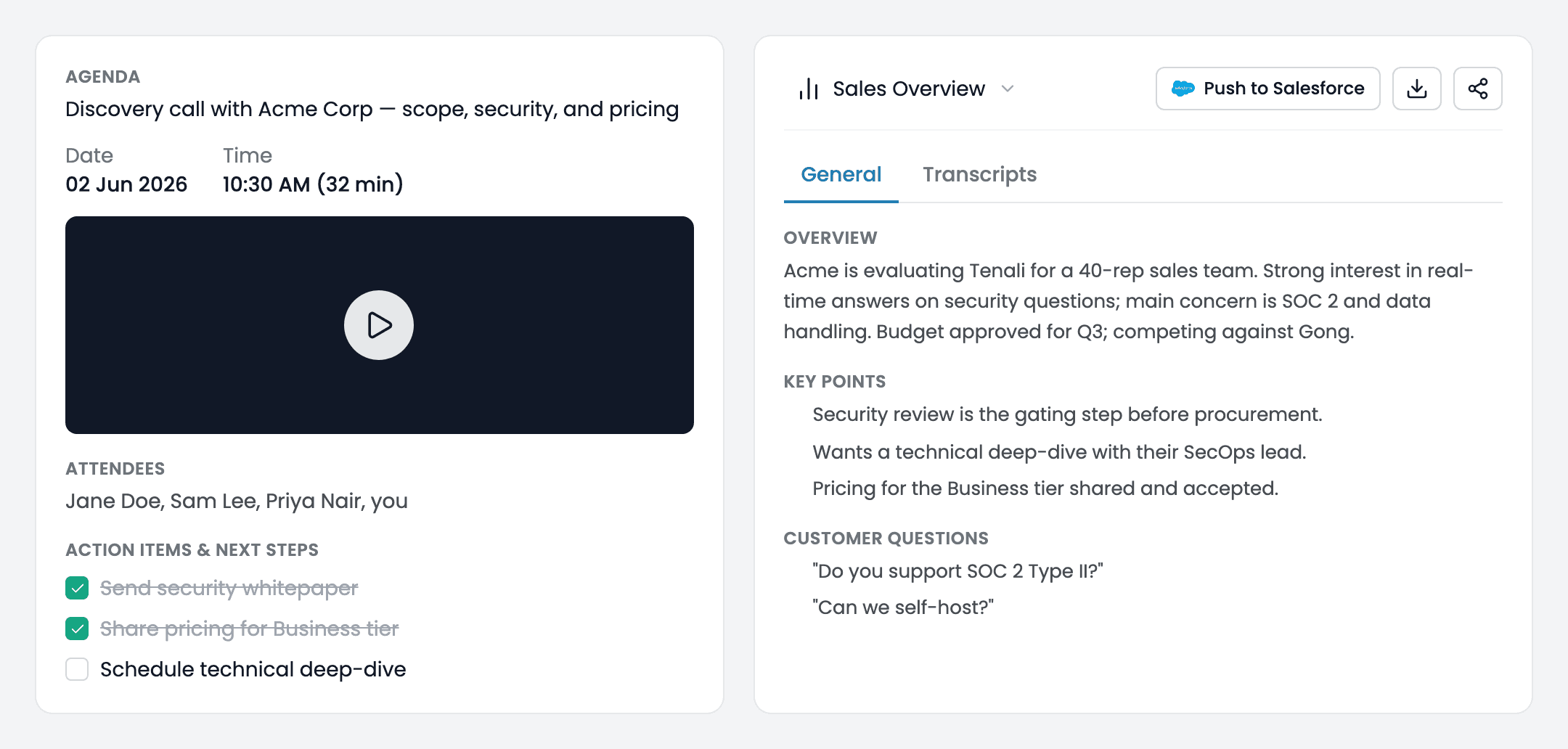
Meeting detail view
Left panel with recording and action items, right panel with the General/Transcripts tabs
Switch the summary type
One call, two ways to read it. Use the selector at the top of the summary to switch between:
- Sales Overview — the recap framed for selling: what the prospect cares about, objections, and where the deal stands.
- Chronological Overview — the call retold in the order it happened, start to finish.
Pick whichever fits the moment — prepping a follow-up versus walking a teammate through what was said. Tenali switches the summary to that view.
Next Guides
Was this page helpful?