
Sources & Knowledge Base
Give Tenali your documents, links, and connected systems so it answers from your approved company knowledge.
Tenali only answers as well as the knowledge it can reach. Sources are how you feed it — your battle cards, pricing sheets, product docs, past calls, and the systems your team already lives in. Add the right material once and it becomes an instant, source-backed answer the moment a question comes up on a call.
Two ways to add a source
There are two paths, and most teams use both.
- Add content directly. Upload a file (PDF, Word, Excel, CSV or PowerPoint) or paste in a URL you want Tenali to read. Nothing to connect — drop it in and Tenali starts processing. It becomes answerable once its status reaches COMPLETED.
- Connect an external source, then choose content. For systems like Google Drive, OneDrive, SharePoint, Notion, and Slack, you first connect the app once on the Integrations page, then come back to Sources to pick exactly which files, pages, or channels Tenali should use.
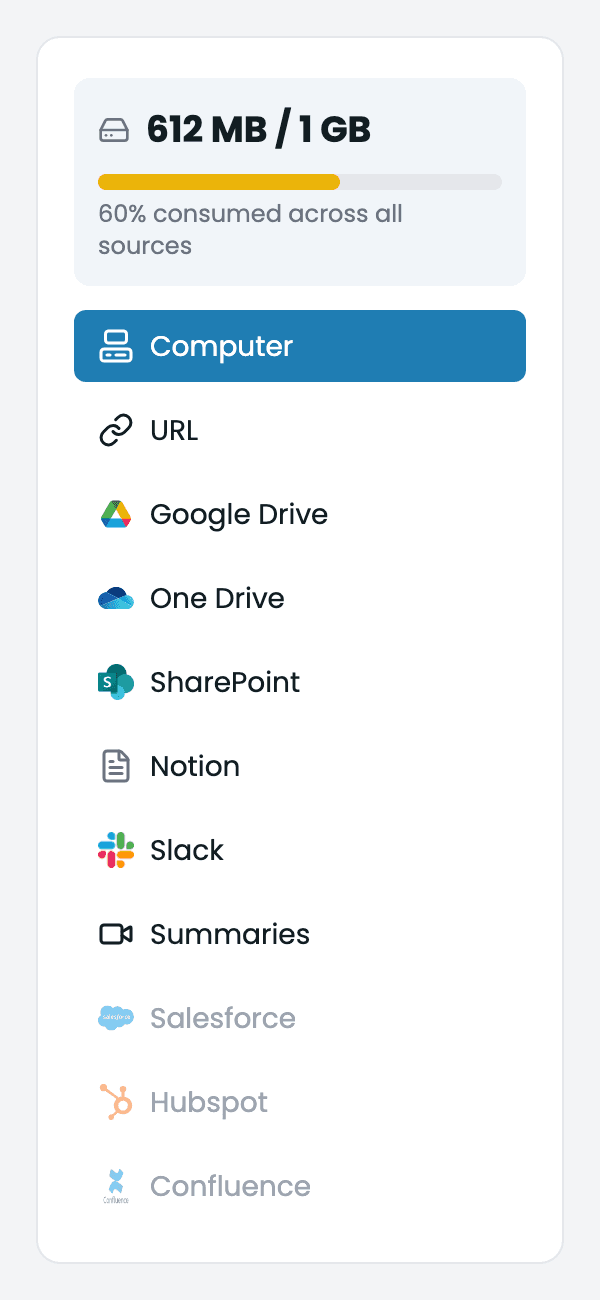
Add a source
The Sources view showing the option to upload files, add URLs, or pick content from a connected integration.
Add content directly
Upload Files
Add a PDF, Word doc, spreadsheet, CSV or slide deck straight from your computer.
Add URL Sources
Point Tenali at a web page or doc URL and let it read the content.
Choose content from a connected source
Connect the app on the Integrations page first, then use these guides to pick what Tenali pulls in.
Google Drive
Pick the files and folders Tenali should use for answers.
OneDrive
Choose documents from your OneDrive to feed Tenali.
SharePoint
Drill from site to drive to file and select the documents you need.
Notion
Search your Notion workspace and multi-select the pages to import.
Slack Channels
Pick the channels Tenali can pull team answers from.
Bring in past calls
Import recordings and transcripts from your other meeting tools so Tenali can search and answer from them too.
Import from Fireflies
Connect Fireflies with an API key and bring meetings into Tenali.
Import Gong Calls
Connect Gong, then select the calls you want to import.
Keep your source set healthy
Next Guides
Was this page helpful?