
Connect Notion
Connect Notion and import selected pages into Tenali sources.
Bring your Notion wiki, product docs, and knowledge base into Tenali so reps get answers from them on live calls — no copy-pasting, exporting, or hunting for page links.
Step 1: Connect Notion First
Before you can pick pages, connect Notion on the Integrations page. See Connect Notion for the one-time authorization step. Once it shows Connected, come back here to choose your pages.
Step 2: Search and Select Pages
You don't paste page IDs or URLs. Tenali gives you a searchable picker so you can find and select pages by name.
- 1
Open the Notion picker
On the Sources page, choose Notion as the source type. The "Import from Notion" dialog opens.
- 2
Search for pages
Type in the "Search pages..." box. Results show each page's icon, title, and when it was last edited.
- 3
Select the pages you want
Tick the checkbox next to each page. You can select as many as you need — the footer keeps a running count ("3 pages selected").
- 4
Import
Click "Import" (it shows the count, e.g. "Import (3)"). Tenali ingests each selected page and confirms with a success toast.
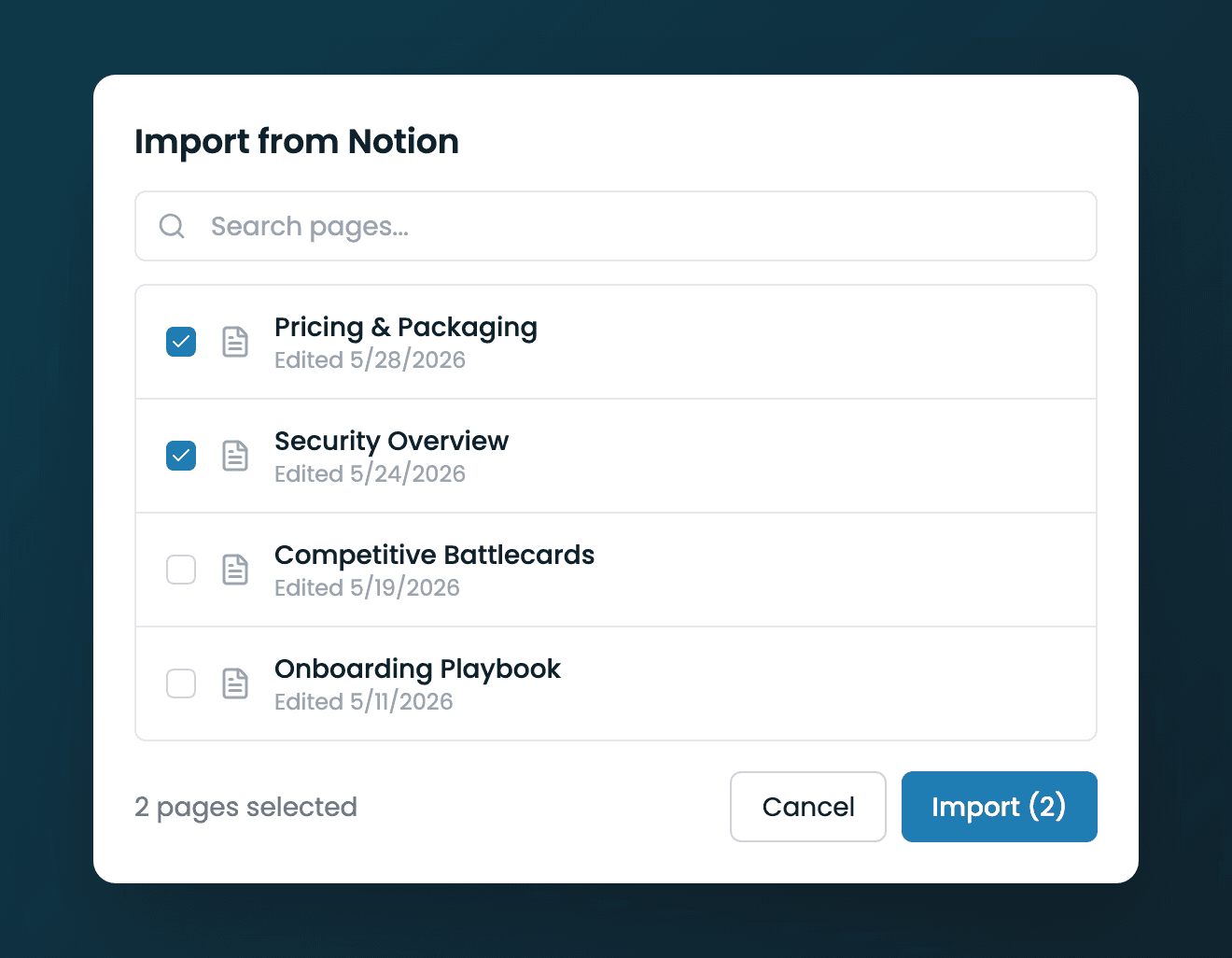
Import from Notion picker
The Import from Notion dialog with the search box, a list of pages with checkboxes, and the Import button showing the selected count.
What Gets Imported
- Page content — text, headings, lists, and tables — used to answer questions
- Page metadata for organization and search
- Ingestion status and storage accounting in the source table
Tips for Best Results
- Import the pages your reps actually reference during calls
- Keep source material current — re-import a page after major updates
- Combine Notion with other sources (uploaded files, Google Drive, URLs) for broader coverage
Next Guides
Was this page helpful?