
Connect SharePoint
Pick exactly the SharePoint files you want Tenali to use — site by site, library by library.
Your team's playbooks, decks, and policies probably live in SharePoint. This page shows you how to pull the right files into Tenali so they become instant answers on your calls — without ingesting an entire site you don't need.
How the Picker Works
When you add a SharePoint source in your workspace, Tenali opens a picker that walks through three stages: pick a Site, then a document library, then the files inside it. You drill in one level at a time, and the dialog title updates to show where you are.
- 1
Select a SharePoint Site
The picker opens on the "Select a SharePoint Site" screen and lists the sites you can access. Don't see the one you want? Type a name into the "Search sites..." box and press Enter to search across your organization. Click a site to open it.
- 2
Pick a document library
Next you'll see the "Document Libraries" for that site. SharePoint sites can have more than one library, so choose the one that holds your content (for example, your shared documents library). Click it to browse its files.
- 3
Choose your files
Now you're inside the library. Open folders to drill in, or use the "Search files..." box to find a document by name. Tick the checkbox next to each file you want. Folders open on click; files have a checkbox so you can select several at once.
- 4
Import Selected
A counter at the bottom shows how many files you've picked ("3 file(s) selected"). When you're ready, click "Import Selected". Tenali queues your files and ingests them, tracking status as it goes.
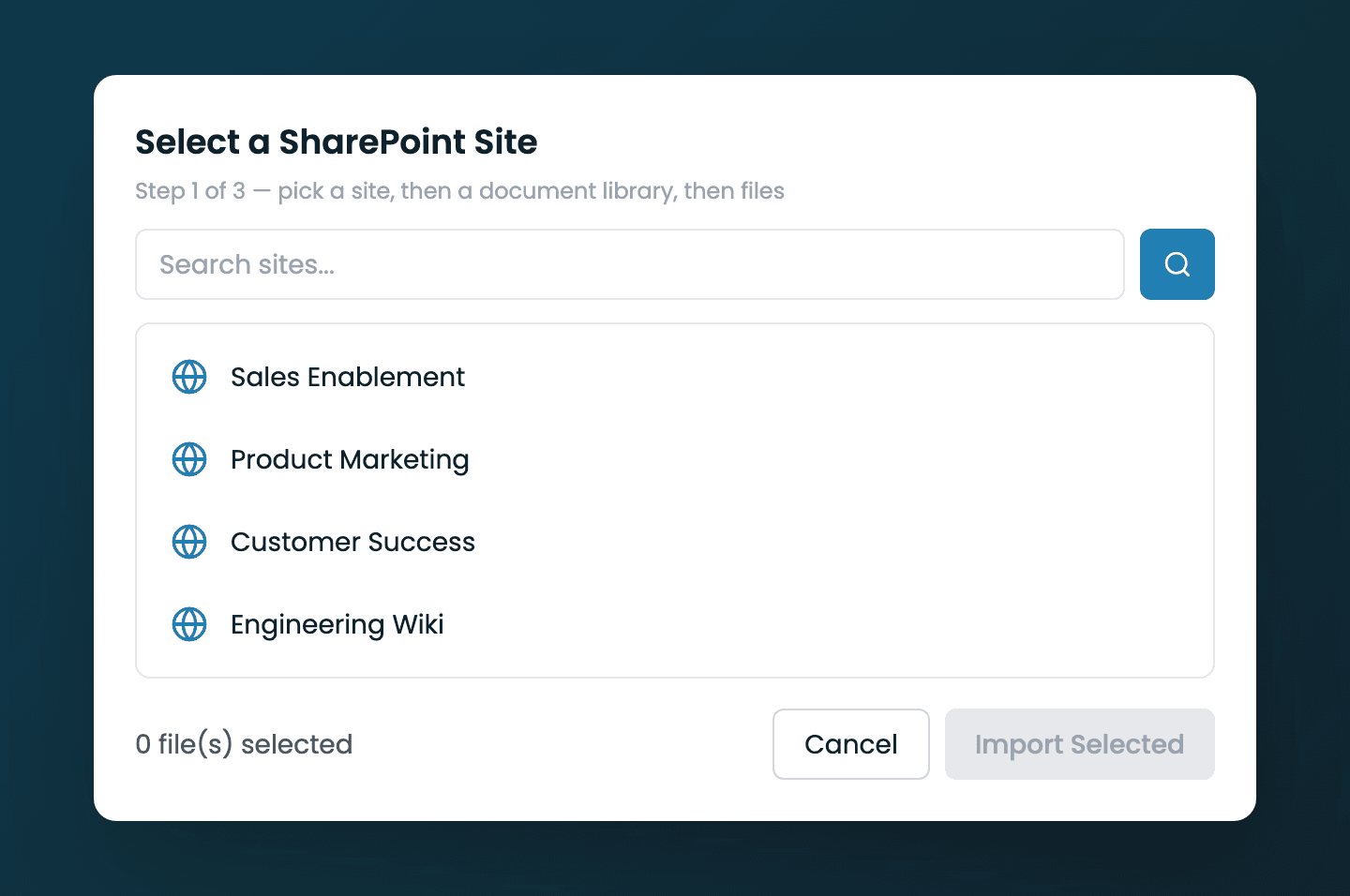
SharePoint three-stage picker
The SharePoint picker showing the Site → document library → Files flow, with file checkboxes and the 'Import Selected' button.
What Gets Imported
- Only the files you check — Tenali never ingests a whole site or library on its own.
- Selected documents are queued and ingested with live status, then become searchable on your calls and in Chat.
- You can pick common document types — PDFs, Word docs, spreadsheets, and slides. Tenali ingests what it can read and skips anything it can't.
Next Guides
Was this page helpful?