
Import Gong Calls
Pull your existing Gong call recordings into Tenali so they become searchable and start teaching Tenali how to answer the questions your buyers actually ask.
You already have a library of customer conversations in Gong. Import them into Tenali and that history becomes searchable in Chat, and the questions buyers asked on those calls start feeding Question Intelligence — so Tenali can answer them live on your next call.
Before You Start
Connect Gong first. Gong connects with an Access Key and Secret Key, not a sign-in popup. Follow Connect Gong to add your keys on the Integrations page. Once it shows "Connected", an "Import calls" button appears next to it — that is where you import from.
Import Your Calls
- 1
Open the import dialog
On the Integrations page, find Gong in the table. Next to the "Connected" badge, click "Import calls". The "Import Gong calls" dialog opens and starts fetching your calls.
- 2
Find the calls you want
Use the "Search by title or participant..." box to narrow the list by call title or attendee. Each row shows the call Title, Participants, and Date. Use "Previous" and "Next" to move through pages of calls.
- 3
Select the calls
Check the calls you want to bring in. The import button updates to show your count — for example, "Import (5)".
- 4
Import
Click "Import". Tenali confirms with a toast like "Importing 5 Gong calls. Questions will appear in the admin dashboard once extraction completes." You can close the dialog — the import keeps running in the background.
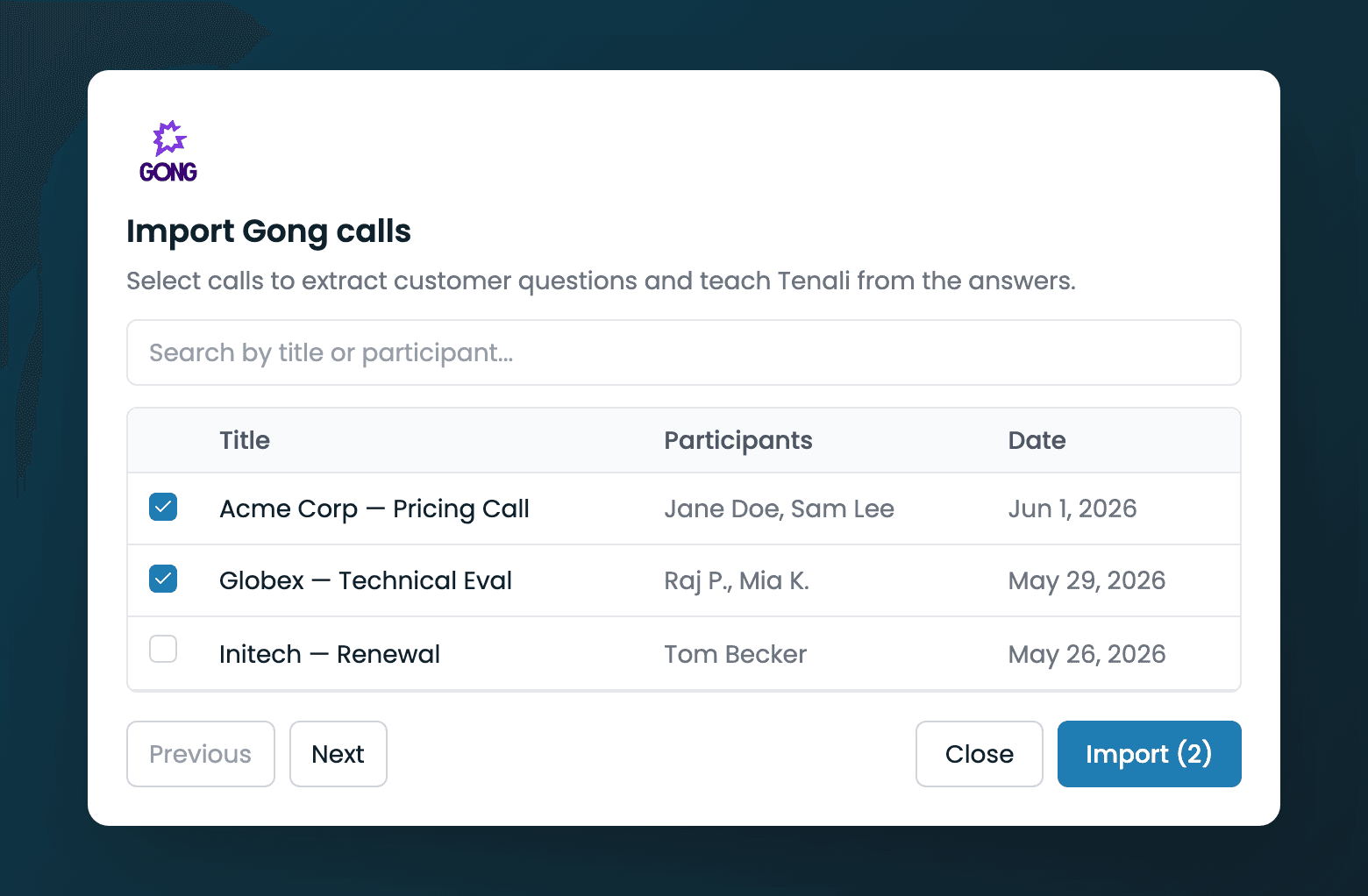
Import Gong calls dialog
The 'Import Gong calls' dialog with the search box, selectable call list (Title, Participants, Date), and the Import button showing a selected count.
What Happens After Import
- Calls become searchable. Imported conversations join your meeting history, so you can ask about them in Chat alongside everything else.
- Questions feed Question Intelligence. Tenali extracts the questions buyers asked on those calls. They show up on the Question Intelligence dashboard, where your team can supply the best answers.
- Live calls get sharper. Once a question has an answer, Tenali surfaces it automatically on your next call — so the patterns hidden in your Gong history start working for your reps in real time.
Next Guides
Connect Gong
Add your Gong Access and Secret keys on the Integrations page.
Question Intelligence
Review and answer the questions captured from your imported calls.
Import from Fireflies
Bring your Fireflies meetings into Tenali the same way.
Chat: Ask Tenali Anything
Search your imported calls alongside everything else.
Managing Sources & Storage
See what you've imported and manage your storage.
Was this page helpful?