
Integrations
Connect your CRM, meeting recordings, and knowledge sources from one place so Tenali answers from everything your team already uses.
Tenali is only as good as the context it can reach — so connect the tools your team already lives in, and Tenali draws on all of them during and after every call. You connect everything from one place: the Integrations page in the web app.
Every connector lives on the same Integrations page, reached from the left sidebar. You hit Connect, authorize, and you're done — most take well under a minute. New to this? Start with the guide below.
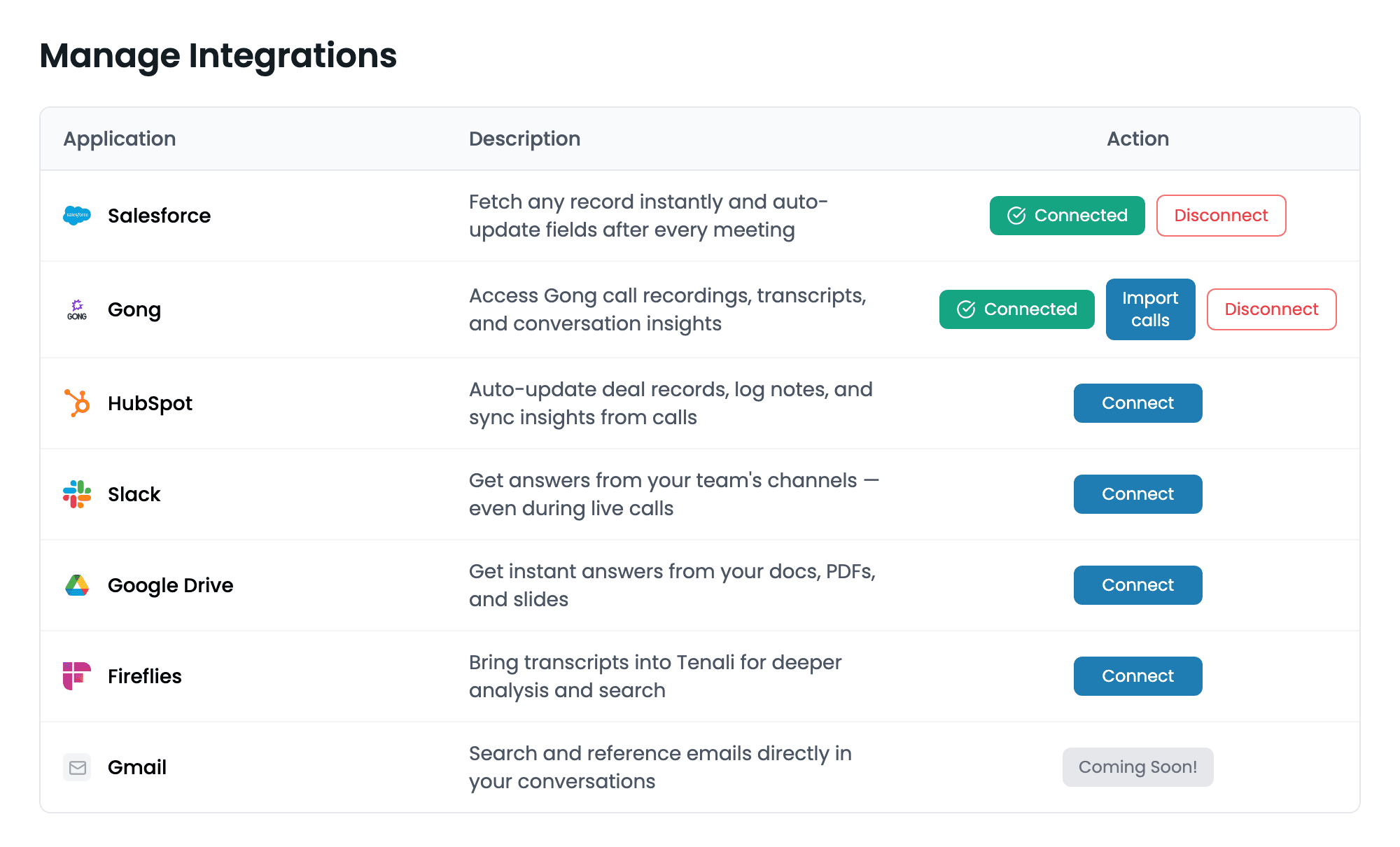
Integrations page
The Integrations page in the web app, listing each connector with a Connect or Disconnect action.
CRM
Connect a CRM to ask about any deal, account, or contact in chat. With HubSpot, Tenali also updates the record from what was said on the call. Each person connects their own CRM account, and you can connect one at a time: Salesforce and HubSpot are mutually exclusive, so disconnect one before switching to the other.
How CRM connections work
Who connects a CRM, why it's one per person, what Tenali reads and writes, and what disconnecting does.
Salesforce
Ask about any opportunity, account or contact in plain language.
HubSpot
Ask about any deal in chat, and update it from the call.
Meeting import
Bring recordings and transcripts from other tools into Tenali so past calls become searchable alongside everything else.
Gong
Access Gong call recordings, transcripts, and conversation insights.
Fireflies
Bring transcripts into Tenali for deeper analysis and search.
Knowledge sources
Connect the places your team stores docs, decks, and answers. Once connected, you pick exactly which content Tenali can draw on from the Sources page — so the right answer surfaces mid-call.
Google Drive
Get instant answers from your docs, PDFs, and slides.
OneDrive
Get instant answers from your docs, PDFs, and slides.
SharePoint
Get instant answers from your SharePoint documents and sites.
Notion
Import Notion pages to get instant answers from your team's knowledge base.
Slack
Get answers from your team's channels — even during live calls.
Ask Tenali where you already work
AI assistants
Connect Tenali the other way round — so Claude, ChatGPT and other assistants can read your Tenali data instead of you pasting it in.
Supported platforms
Before you connect anything, it's worth checking which meeting platforms Tenali works with — and which ones it auto-detects.
Next Guides
Was this page helpful?